Nano Banana ProPrompting Guide
Nano Banana Pro is a significant leap forward from previous generation models, moving from "fun" image generation to "functional" professional asset production. It excels in text rendering, character consistency, visual synthesis, world knowledge (Search), and high-resolution (4K) output.
Here's what you'll find in this article:
- 🚀 Getting Started
- 0. The Golden Rules of Prompting
- 1. Text Rendering, Infographics & Visual Synthesis
- 2. Character Consistency & Viral Thumbnails
- 3. Grounding with Google Search
- 4. Advanced Editing, Restoration & Colorization
- 5. Dimensional Translation (2D ↔ 3D)
- 6. High-Resolution & Textures
- 7. Thinking & Reasoning
- 8. One-Shot Storyboarding & Concept Art
- 9. Structural Control & Layout Guidance
- 10. What's Next?
🚀 Getting Started
1Using Nano Banana Pro in Google AI Studio
While end-users can access Nano Banana Pro in the Gemini app, the best environment for developers to prototype and test prompts is Google AI Studio. AI Studio is a playground to experiment with all available AI models before writing any code, and it's also the entry point for building with the Gemini API.
You can use Nano Banana Pro within AI Studio. To get started, go to aistudio.google.com, sign in with your Google account, and select Nano Banana Pro (Gemini 3 Pro Image) from the model picker.
Contrary to Nano-Banana, the pro version doesn't have a free tier, which means you need to select an API key with billing enabled (see "project setup" section below).

💡 Tip:You can also vibe code Nano Banana web apps directly in AI Studio at ai.studio/apps, or explore the code and remix one of the existing apps.
2Project setup
To follow this guide, you will need the following:
- An API key from Google AI Studio.
- Billing set up for your project.
Step A: Get your API Key
When you first log in on AI Studio, a Google Cloud project and an API key should be automatically created.
Open the API key management screen and click on the "copy" icon to copy your API key.

Step B: Enable Billing
Since Nano Banana Pro doesn't have a free tier. You must enable billing on your Google Cloud project.
In the API key management screen, click Set up billing next to your project and follow the on-screen instructions.

How much does Nano Banana Pro cost?
Image generation with Nano Banana Pro is more expensive than the Flash version, especially for 4K images. Check the pricing in the documentation for the latest details.
Pro tip: To save 50% on your generation costs, you can use the Batch API. In exchange you might have to wait up to 24h before getting your images.
📝 Note:The following examples use the Python SDK for demonstration. Equivalent code snippets to use Nano Banana in JavaScript are provided in this JS Notebook.
🛑 Section 0: The Golden Rules of Prompting
Nano-Banana Pro is a "Thinking" model. It doesn't just match keywords; it understands intent, physics, and composition. To get the best results, stop using "tag soups" (e.g., dog, park, 4k, realistic) and start acting like a Creative Director.
1. Edit, Don't Re-roll
The model is exceptionally good at understanding conversational edits. If an image is 80% correct, do not generate a new one from scratch. Instead, simply ask for the specific change you need.
"That's great, but change the lighting to sunset and make the text neon blue."
2. Use Natural Language
Talk to the model as if you were briefing a human artist. Use proper grammar and descriptive adjectives.
❌ Bad
"Cool car, neon, city, night, 8k."
✅ Good
"A cinematic wide shot of a futuristic sports car speeding through a rainy Tokyo street at night. The neon signs reflect off the wet pavement."
3. Be Specific
Vague prompts yield generic results. Define the subject, the setting, the lighting, and the mood.
Subject: Instead of "a woman," say "a sophisticated elderly woman wearing a vintage chanel-style suit."
Materiality: Describe textures like "Matte finish," "brushed steel," or "crumpled paper."
4. Provide Context
Because the model "thinks," giving it context helps it make logical artistic decisions.
"Create an image of a sandwich for a Brazilian high-end gourmet cookbook."
1. Text Rendering, Infographics & Visual Synthesis
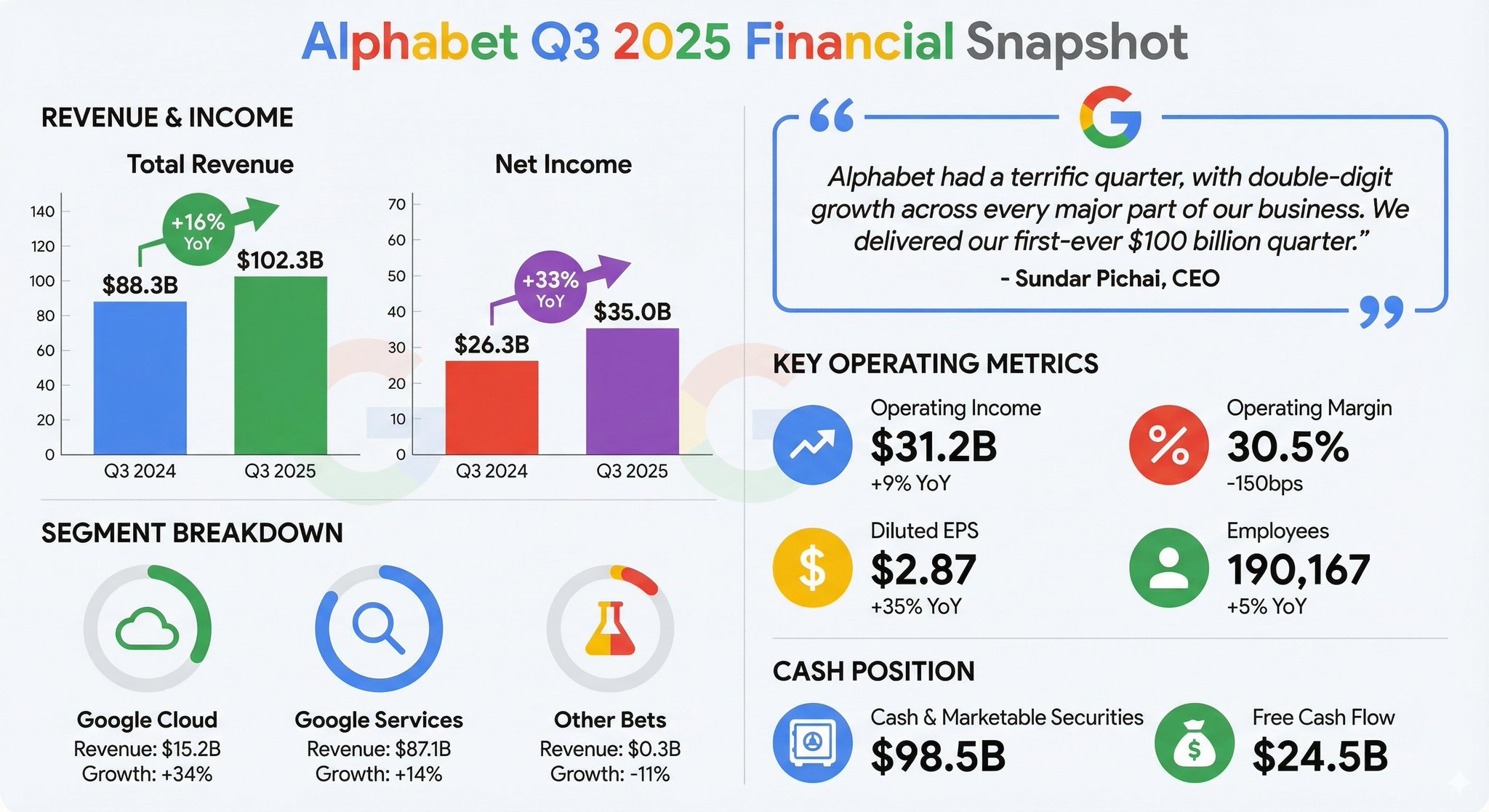
Nano-Banana Pro has SOTA capabilities for rendering legible, stylized text and synthesizing complex information into visual formats.
Best Practices:
- •Compression: Ask the model to "compress" dense text or PDFs into visual aids.
- •Style: Specify if you want a "polished editorial," a "technical diagram," or a "hand-drawn whiteboard" look.
- •Quotes: Clearly specify the text you want in quotes.
Example Prompts:
Earnings Report Infographic (Data Ingestion):
"Generate a clean, modern infographic summarizing the key financial highlights from this earnings report. Include charts for 'Revenue Growth' and 'Net Income', and highlight the CEO's key quote in a stylized pull-quote box."
Retro Infographic:

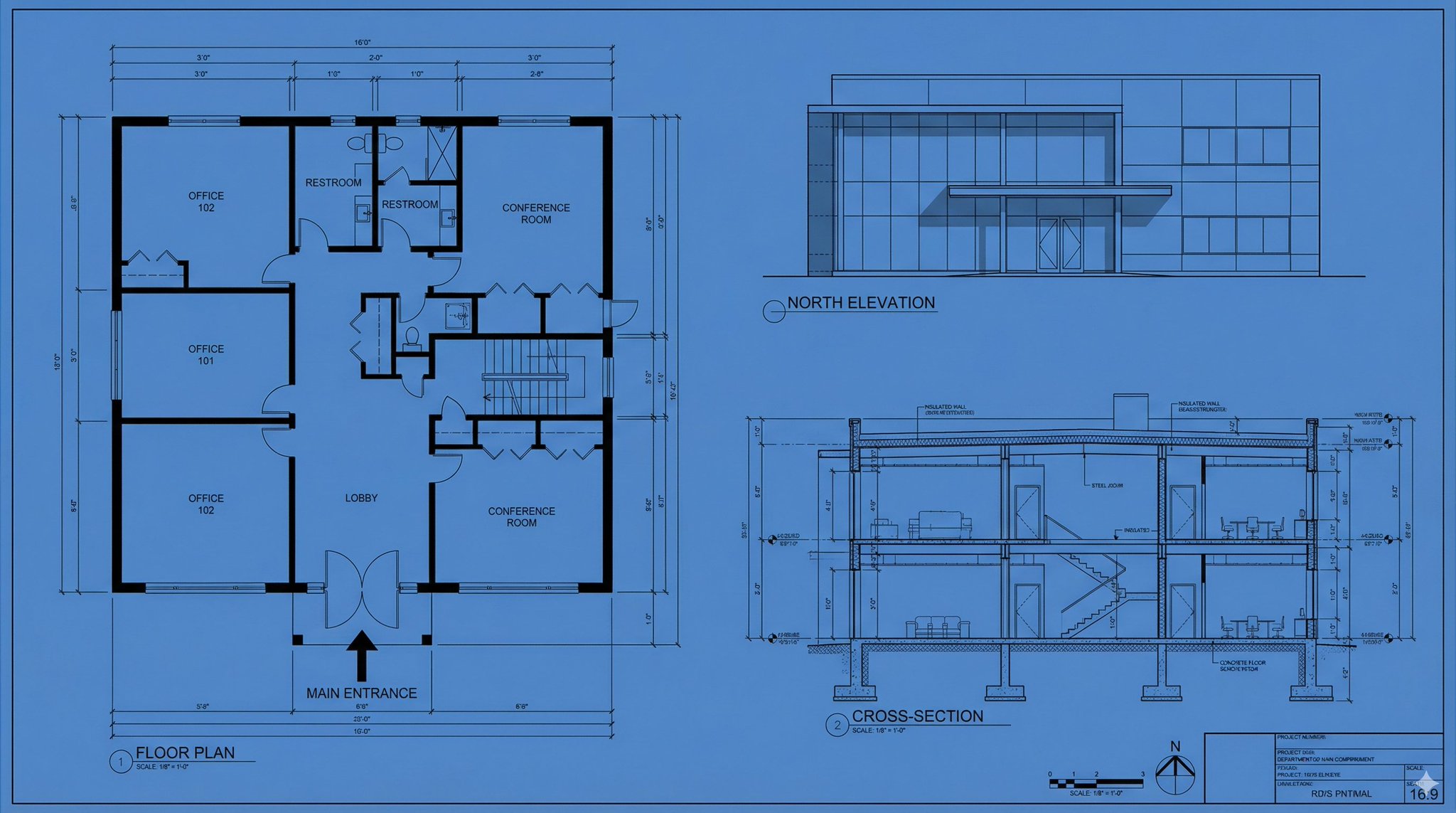
Technical Diagram:
Whiteboard Summary (Educational):
2. Character Consistency & Viral Thumbnails
Nano-Banana Pro supports up to 14 reference images (6 with high fidelity). This allows for "Identity Locking"—placing a specific person or character into new scenarios without facial distortion.
Best Practices:
- •Identity Locking: Explicitly state: "Keep the person's facial features exactly the same as Image 1."
- •Expression/Action: Describe the change in emotion or pose while maintaining the identity.
- •Viral Composition: Combine subjects with bold graphics and text in a single pass.
Example Prompts:
The "Viral Thumbnail" (Identity + Text + Graphics):
The "Fluffy Friends" Scenario (Group Consistency):
"Create a funny 10-part story with these 3 fluffy friends going on a tropical vacation. The story is thrilling throughout with emotional highs and lows and ends in a happy moment. Keep the attire and identity consistent for all 3 characters, but their expressions and angles should vary throughout all 10 images. Make sure to only have one of each character in each image."
Brand Asset Generation:
"Create 9 stunning fashion shots as if they're from an award-winning fashion editorial. Use this reference as the brand style but add nuance and variety to the range so they convey a professional design touch. Please generate nine images, one at a time."
3. Grounding with Google Search
Nano-Banana Pro uses Google Search to generate imagery based on real-time data, current events, or factual verification, reducing hallucinations on timely topics.
Best Practices:
- •Ask for visualizations of dynamic data (weather, stocks, news).
- •The model will "Think" (reason) about the search results before generating the image.
Example Prompts:
Event Visualization:
4. Advanced Editing, Restoration & Colorization
The model excels at complex edits via conversational prompting. This includes "In-painting" (removing/adding objects), "Restoration" (fixing old photos), "Colorization" (Manga/B&W photos), and "Style Swapping."
Best Practices:
- •Semantic Instructions: You do not need to manually mask; simply tell the model what to change naturally.
- •Physics Understanding: You can ask for complex changes like "fill this glass with liquid" to test physics generation.
Example Prompts:
Object Removal & In-painting:
Manga/Comic Colorization:
"Colorize this manga panel. Use a vibrant anime style palette. Ensure the lighting effects on the energy beams are glowing neon blue and the character's outfit is consistent with their official colors."
Localization (Text Translation + Cultural Adaptation):
"Take this concept and localize it to a Tokyo setting, including translating the tagline into Japanese. Change the background to a bustling Shibuya street at night."
Lighting/Seasonal Control:
"Turn this scene into winter time. Keep the house architecture exactly the same, but add snow to the roof and yard, and change the lighting to a cold, overcast afternoon."
5. Dimensional Translation (2D ↔ 3D)
A powerful new capability is translating 2D schematics into 3D visualizations, or vice versa. This is ideal for interior designers, architects, and meme creators.
Example Prompts:
2D Floor Plan to 3D Interior Design Board:
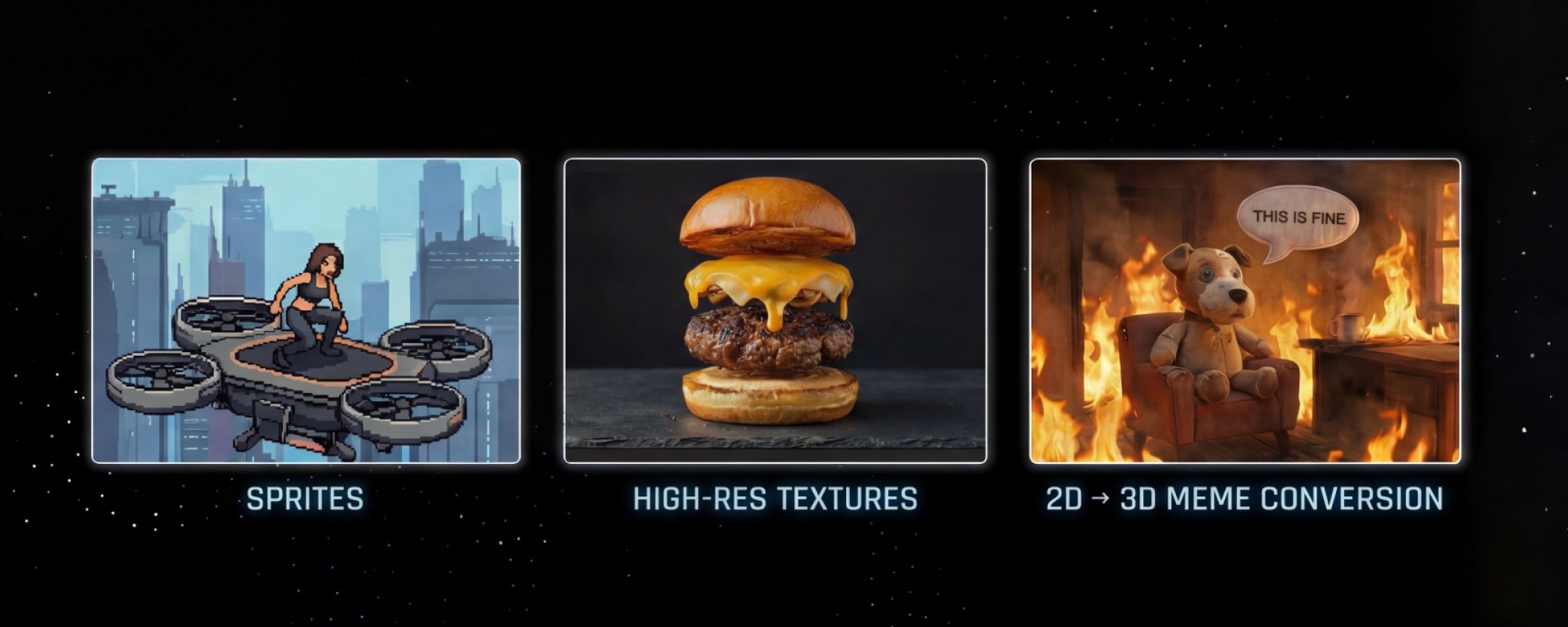
2D to 3D Meme Conversion:
6. High-Resolution & Textures
Nano-Banana Pro supports native 1K to 4K image generation. This is particularly useful for detailed textures or large-format prints.
Best Practices:
- •Explicitly request high resolutions (2K or 4K) if your API/Interface allows.
- •Describe high-fidelity details (imperfections, surface textures).
Example Prompts:
4K Texture Generation:
Complex Logic (Thinking Mode):
7. Thinking & Reasoning
Nano-Banana Pro defaults to a "Thinking" process where it generates interim thought images (not charged) to refine composition before rendering the final output. This allows for data analysis and solving visual problems.
Example Prompts:
Solve Equations:
Visual Reasoning:
8. One-Shot Storyboarding & Concept Art
You can generate sequential art or storyboards without a grid, ensuring a cohesive narrative flow in a single session. This is also popular for "Movie Concept Art" (e.g., fake leaks of upcoming films).
Example Prompt:
9. Structural Control & Layout Guidance
Input images aren't limited to character references or subjects to edit. You can use them to strictly control the composition and layout of the final output. This is a game-changer for designers who need to turn a napkin sketch, a wireframe, or a specific grid layout into a polished asset.
Best Practices:
- •Drafts & Sketches: Upload a hand-drawn sketch to define exactly where the text and object should sit.
- •Wireframes: Use screenshots of existing layouts or wireframes to generate high-fidelity UI mockups.
- •Grids: Use grid images to force the model to generate assets for tile-based games or LED displays.
Example Prompts:
Sketch to Final Ad:
UI Mockup from Wireframe:
Pixel Art & LED Displays:
(Tip: Developers can then programmatically extract the center color of each cell to drive a connected 64x64 LED matrix display).
Sprites:
(Tip: You can then extract each cell and make a gif)
10. What's Next?
Now that you have mastered the basics of prompting, here is how you can start building:
- •Experiment in the UI: Google AI Studio is the fastest way to test prompts and parameters.
- •Check really cool Nano-banana powered app in the App Gallery.
- •Vibe-code you dream app: Transform you best prompt into an app that you can easily share with your friends in AI Studio Build.
- •Build Applications: Ready to code? Check out the developer guide or the Gemini API Cookbook for guides and code snippets.
- •Technical Deep Dive: Read the full Gemini API Documentation for details on rate limits, pricing, and integration.